-
Search
- Geo Menu
-
Solutions
-

See how use cases come to life through Check Point's customer stories.
Learn More -
See how use cases come to life through Check Point's customer stories.
Learn More -
See how use cases come to life through Check Point's customer stories.
Learn More
-
Platform
-
Explore Infinity
- Platform OverviewIndustry leading AI-Powered and Cloud-Delivered cyber security platform
- Infinity Core ServicesPrevention first security operations, AI Copilot, ThreatCloud AI, and 24/7 managed security services, consulting and training
- Infinity PortalLearn about and sign into Check Point's unified security management platform
- Infinity Platform AgreementPredictable cyber-security environments through a platform agreement
- See All Products >
-
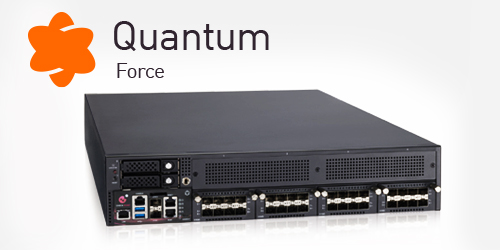
Introducing Quantum Force
Learn More -
Explore Quantum
- Next Generation Firewall (NGFW) Security GatewayIndustry-leading AI powered security gateways for modern enterprises
- SD-WANSoftware Defined Wide Area networks converging security with networking
- Security Policy and Threat ManagementManage firewall and security policy on a unified platform for on-premises and cloud networks
- Operational Technology and Internet of Things (IoT) Autonomous IoT/OT threat prevention with zero-trust profiling, virtual patching and segmentation
- Remote Access VPN Secure, seamless remote access to corporate networks
- See All Products >
-
Introducing Quantum Force
Learn More -
Explore CloudGuard
- Cloud Network Security Industry-leading threat prevention through cloud-native firewalls
- Cloud Native Application Protection PlatformCloud native prevention first security
- Code SecurityDeveloper centric code security
- Web Application and API SecurityAutomated application and API security
- See All Products >
-
Introducing Quantum Force
Learn More -
Explore Harmony
- Email and Collaboration SecurityEmail security including office & collaboration apps
- Endpoint SecurityComprehensive endpoint protection to prevent attacks & data compromise
- Mobile SecurityComplete protection for the mobile workforce across all mobile devices
- SASEUnifying security with optimized internet and network connectivity
- SaaS SecurityThreat prevention management for SaaS
- See All Products >
-
Introducing Quantum Force
Learn More -
Core Services
- Managed Prevention & Response ServiceSOC operations as a service with Infinty MDR/MPR
- Extended Prevention & ResponseAI-Powered, Cloud-Delivered Security Operations with Infinity XDR/XPR
- Secure Automation and CollaborationAutomate response playbooks with Infinity Playblocks
- Unified Security Events and Logs as a ServiceInfinity Events cloud-based analysis, monitoring and reporting
- AI Powered TeammateAutomated Security Admin & Incident Response with AI Copilot
- ThreatCloud AIThe Brain behind Check Point’s threat prevention
- See All Products >
-
Introducing Quantum Force
Learn More
-
Support & Services
-
Explore Assess Services
- Cyber Risk AssessmentAssess your cyber risks and plan actionable strategy
- Attack Surface & Penetration TestingEvaluate security defenses against potential cyber attacks and threats
- Security Controls Gap Analysis
(NIST, CIS)Analyze technology gaps and plan solutions for improved security and ROI - Threat Intelligence & Brand ReputationAnalyzed data on cyber threats, aiding proactive security measures
- See All Assess Services >
-

Learn hackers inside secrets and beat them at their own game
View Courses -
Explore Transform Services
- Security Deployment & OptimizationStrategic deployment and refinement of security for optimal protection
- Advanced Technical Account ManagementProactive service delivered by highly skilled Cyber Security professionals
- Lifecycle Management ServicesEffectively maintain the lifecycle of security products and services
- See All Transform Services >
-
Learn hackers inside secrets and beat them at their own game
View Courses -
Explore Master Services
- Certifications & AccreditationsComprehensive cyber security training and certification programs
- CISO TrainingGlobally recognized training for Chief Information Security Officers
- Security AwarenessEmpower employees with cyber security skills for work and home
- Cyber Park - Cyber RangeSimulated gamification environment for security training
- Mind Training HubCheck Point Cyber Security and Awareness Programs training hub
- See All Master Services >
-
Learn hackers inside secrets and beat them at their own game
View Courses -
Explore Respond Services
- Incident ResponseManage and mitigate security incidents with systematic response services
- Managed Detection and Response24/7 SOC Operations for Check Point + 3rd party solutions, 24/7 response
- Digital ForensicsComprehensive investigation and analysis of cyber incidents and attacks
- See All Respond Services >
-
Learn hackers inside secrets and beat them at their own game
View Courses - Explore Manage Services
-
Learn hackers inside secrets and beat them at their own game
View Courses - Explore Support Services
-
Learn hackers inside secrets and beat them at their own game
View Courses
-
Solutions
- Use Cases
- Industry
- Organization Size
-
Platform
- Infinity Platform
- Secure the Network
- Secure the Cloud
- Secure the Workspace
- Core Services
-
Introducing Quantum Force
Learn More
-
Support & Services
- Assess
- Transform
- Master
- Respond
- Manage
- Support
-
Partners
- Check Point Partners
- Become a Partner
- Enrolled Partners
-

Check Point is 100% Channel. Grow Your Business with Us!
Sign Up Now
-
More
- Company
- Learn
- Cyber Security Insights
-

See how use cases come to life through Check Point's customer stories.
Learn More
-
Search
- Geo Menu









 Feedback