Datasheet | Getting Started with Android Application Security
Overview of a one-day Android application security course covering mobile application penetration testing, OWASP Mobile Top 10 2024, reverse engineering, static and dynamic analysis, client-side protections, and MobSF. Helps cyber security professionals identify and mitigate Android application security risks.

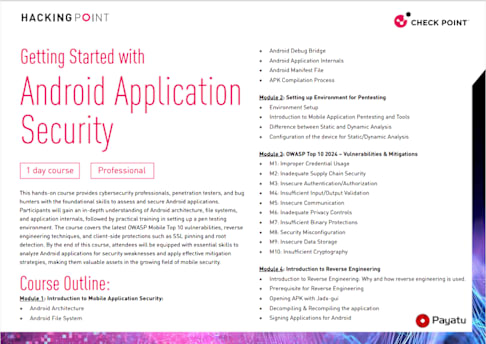
Getting Started with
Android Application Security
Course Outline: Module 1: Introduction to Mobile Application Security: • Android Architecture • Android File System
1 day course Professional
• Android Debug Bridge • Android Application Internals • Android Manifest File • APK Compilation Process
Module 2: Setting up Environment for Pentesting • Environment Setup • Introduction to Mobile Application Pentesting and Tools • Difference between Static and Dynamic Analysis • Configuration of the device for Static/Dynamic Analysis
Module 3: OWASP Top 10 2024 – Vulnerabilities & Mitigations • M1: Improper Credential Usage • M2: Inadequate Supply Chain Security • M3: Insecure Authentication/Authorization • M4: Insufficient Input/Output Validation • M5: Insecure Communication • M6: Inadequate Privacy Controls • M7: Insufficient Binary Protections • M8: Security Misconfiguration • M9: Insecure Data Storage • M10: Insufficient Cryptography
Module 4: Introduction to Reverse Engineering • Introduction to Reverse Engineering: Why and how reverse engineering is used. • Prerequisite for Reverse Engineering • Opening APK with Jadx-gui • Decompiling & Recompiling the application • Signing Applications for Android
This hands-on course provides cybersecurity professionals, penetration testers, and bug hunters with the foundational skills to assess and secure Android applications. Participants will gain an in-depth understanding of Android architecture, file systems, and application internals, followed by practical training in setting up a pen testing environment. The course covers the latest OWASP Mobile Top 10 vulnerabilities, reverse engineering techniques, and client-side protections such as SSL pinning and root detection. By the end of this course, attendees will be equipped with essential skills to analyze Android applications for security weaknesses and apply effective mitigation strategies, making them valuable assets in the growing field of mobile security.
Module 5: Introduction to Client-Side Protections
• SSL Certificate Pinning
- What is SSL Pinning?
- How SSL Pinning work?
• Root Detection
- What is Root Detection?
- How does Root Detection work?
• Emulator Detection
- What is Emulator Detection?
- How does Emulator Detection work?
Module 6: Automated Analysis with MobSF
Who should take this class? • Penetration Testers • Bug Hunters who are interested in Mobile Applications • Security Professionals who want to build Mobile AppSec Skills • Anyone interested in Mobile Application Security
Prerequisites • Basic understanding of Java code • Basic understanding of the Android Operating System • Introductory knowledge of Assembly bytecode
What should attendees bring • Laptop with
- At least 50 GB of Free Space
- 8+ GB RAM (16 GB preferred)
• Windows OS with Administrative privileges
• Java and JDK installed on the system
• Android Studio Emulator device with API 29
What will attendees receive • Training Slides (PDF) • Hands-On Lab Files • Training Notes
What to Expect • Reverse Engineering • Static Analysis of Android Applications • OWASP Top 10 Mobile 2024
What Not To Expect Becoming a Mobile AppSec Expert in 1 Day